Every clip, by drive and day
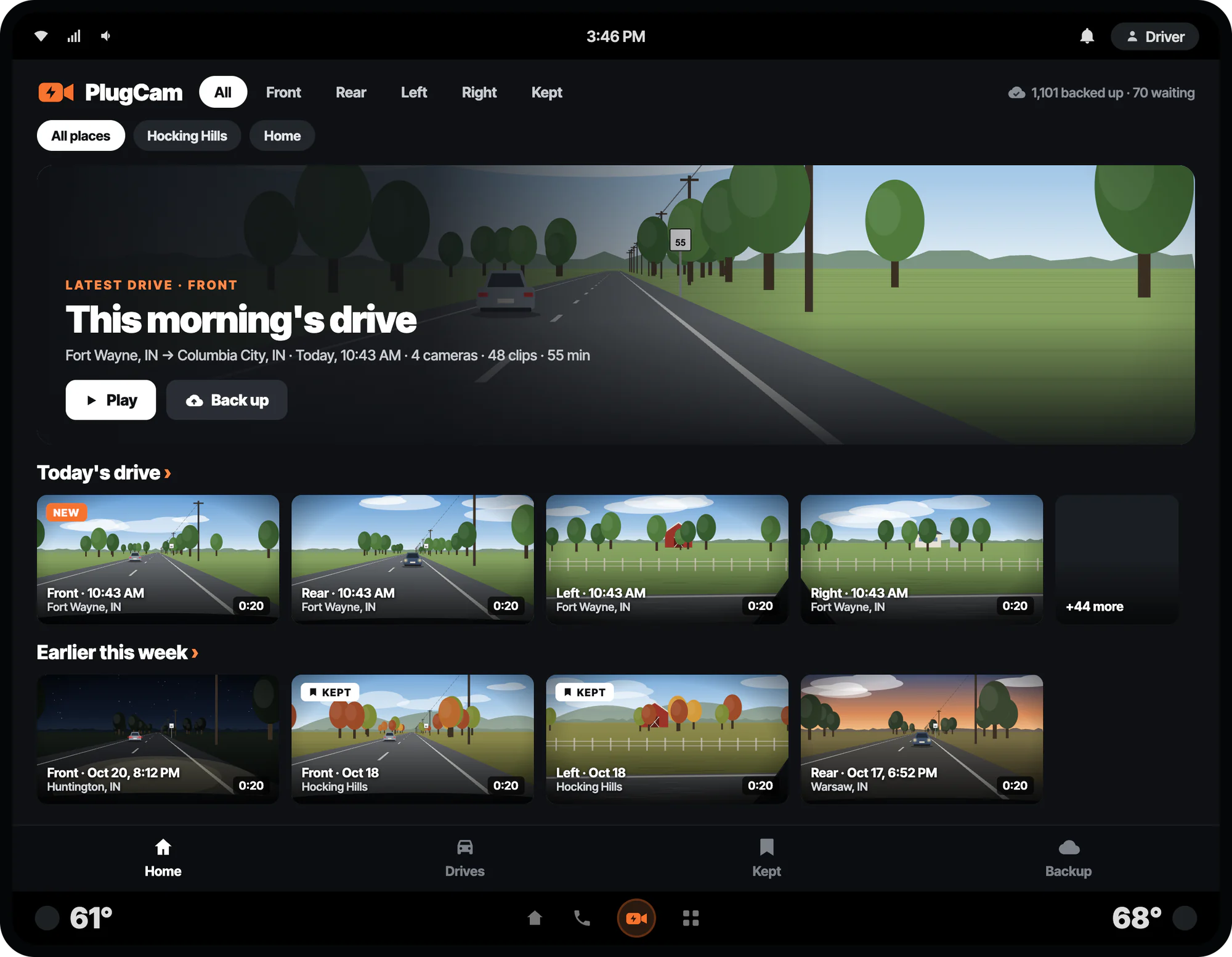
Each camera's clips sorted into drives: today's, earlier this week, and every trip before. Each tile shows its camera, time and length.
New · For Google built-in
Your vehicle's cameras, backed up and easy to watch.
Your vehicle's cameras on its screen. Every drive and every camera, ready to watch when you're parked, backed up to PlugLog's cloud on its own, and on the web at plugcam.app.
What it does
Each camera's clips sorted into drives: today's, earlier this week, and every trip before. Each tile shows its camera, time and length.
Open PlugCam and your newest drive is waiting front and center. One tap on Play and you're watching.
Switch cameras and stay on the same moment. All four views of a scrape in the parking lot, one tap apart.
Back up the clips that matter: every camera of that moment goes to PlugLog and is kept until you stop keeping it, never deleted to make room.
A vehicle's camera drive fills up and starts over. PlugCam copies your clips to PlugLog's cloud on its own, so the moment you need is still there next month.
Video stops the moment the vehicle moves, as Google requires of every video app in a car, and PlugCam shows an Available when parked screen instead. The backup isn't playback, so it keeps going while you drive.
What your cameras recorded is private. PlugCam keeps it in your vehicle and in PlugLog's cloud, under your account, and nowhere else.
Requirements
FAQ
PlugCam is free to install. Backing up to the cloud takes PlugCam storage: $39 a year per 50 GB, shared by all your vehicles, up to 1 TB. It's sold on its own, with no PlugLog Pro needed, at plugcam.app/upgrade or pluglog.app/upgrade. New accounts get 50 GB free for 30 days to try it.
Clips you back up yourself are kept for good: Kept clips are never deleted to make room. The rest can be overwritten, oldest first, when a new clip needs the space, like your vehicle's own loop recording. Without storage (after the trial, say), what's backed up stays to watch and new clips stop backing up.
About 5 GB for each hour of driving with all four cameras backed up, and about half that for Front and Rear alone. Over Wi-Fi it doesn't touch the vehicle's data plan. Over the vehicle's data only if you turn that on.
Front and Rear back up automatically to start. Add Left and Right in Backup, or back up any one clip from its page whenever you want. Tap Back up on a clip and every camera of it backs up and is kept for good.
On the vehicle's screen when you're parked, and anywhere on the web: at plugcam.app, signed in with your account, and on pluglog.app's Videos page. Every camera, with your drive's speed and power alongside.
Only if you want it to. With the Drives switch on, each drive's route and speed, and an EV's battery power, go to your account, so they show alongside the video. Leave it off and only the clips back up.
Video and its sound stop as soon as the vehicle moves, as Google requires of video apps in cars, and PlugCam shows an Available when parked screen. Video plays only while you're parked. Backup keeps going in the background.
PlugCam signs in on its own: scan the QR code on the vehicle's screen with your phone, or get an email, and approve it at plugcam.app. It's a PlugLog account, so if the PlugLog car app is already signed in on the same vehicle, PlugCam can use that instead.
PlugCam is for vehicles with Google built-in (Android Automotive), EV or gas, 2017 on, whose cameras record clips PlugCam can read. Pick your vehicle in PlugCam's vehicle step. It's tested on the Chevrolet Silverado EV, with more vehicles coming.
Your vehicle's cameras, backed up and easy to watch.
Follow PlugLog